Guide
Smart Telescope EQ Mode Explained: Why and How to Use It
What equatorial (EQ) mode is, why it allows longer exposures and fewer artifacts than normal alt-az tracking, which smart telescopes support it, what extra gear you need, and how to set it up on a Seestar.

In short
EQ mode tilts the telescope so one axis points at the celestial pole, which cancels field rotation and allows single exposures of 60 seconds or more instead of about 10 to 20. It's worth learning for long sessions on faint targets. Seestars need a tilting head such as the $99 TH10; DWARFs, the Draco and the Origin (with a wedge) support it too.
Most smart telescopes track in alt-azimuth (alt-az) mode: one motor turns left and right, the other up and down. It's simple, but it has a side effect astronomers call field rotation. EQ (equatorial) mode removes it.
Why alt-az tracking limits exposures
Stars move across the sky in arcs around the celestial pole. An alt-az mount follows them by moving both axes at once, but the camera stays level with the horizon while the star field slowly turns. ZWO explains that during long exposures "the field will rotate around the frame center", causing star trails at the edges. That's why ZWO limited the original Seestar S50 to 10-second exposures, and why smart telescopes stack many short frames and correct rotation in software.
What EQ mode does
In EQ mode you tilt the telescope so one axis is parallel to Earth's axis, pointing at the celestial pole. Now a single motor can follow the stars' arc, and the field no longer rotates. ZWO: this "eliminates field rotation and enables longer exposure times", but it relies on "polar alignment", getting that axis accurately aligned.
| Feature | Alt-az mode | EQ mode |
|---|---|---|
| Setup | Level the tripod, press go | Tilt to your latitude and polar-align |
| Longest single exposure | Short (about 10–20 s) | 60 s or more |
| Long sessions | Edges soften as the field rotates | Clean edges for hours |
| Best for | Quick sessions, beginners, the Moon and Sun | Faint targets, multi-hour stacks |
Which smart telescopes support it
| Telescope | EQ mode | Longest exposure | Extra gear |
|---|---|---|---|
| Seestar S30, S30 Pro, S50, S50 Pro | Yes | 60 s (S30 Pro, S50 Pro) | Tilting head such as TH10 ($99) |
| DWARF 3 | Yes | 60 s | Tripod |
| DWARF mini | Yes | 90 s (Dwarflab) | Tripod |
| Dwarflab Draco | Yes, plus guiding and field derotation | 300 s | Tripod |
| Celestron Origin Mark II | With the optional equatorial wedge | Longer than 30 s with the StarSense Autoguider | Wedge, autoguider |
| Vaonis Atlas | Equatorial table due second half of 2027 | — | Equatorial table |
| Vaonis Vespera, Unistellar | Not published | — | — |
From the makers' pages and FAQs, checked October 2026.
Setting up EQ mode on a Seestar
From ZWO's tutorials:
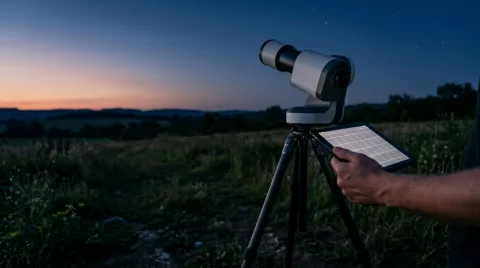
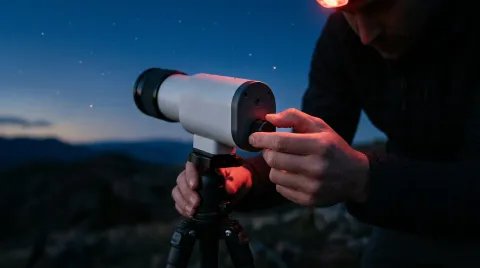
- Mount the head. Screw the 3/8"-to-1/4" adapter into the Seestar's base, fit the TH10's quick-release plate with its long side along the Seestar's long side, and attach the TH10 to the tripod.
- Point a leg north. Level the tripod with one leg pointing to true north (south in the Southern Hemisphere), with the Seestar's center over that leg so it can't tip.
- Switch modes. Connect the app, go to Me → Advanced Features → Mount Mode, watch the tutorial and tilt the Seestar as instructed. Tap Switch.
- Polar-align. Tap Get Polar Align Deviation. Adjust the TH10's left-right and up-down knobs until both errors are within 1°.
- Image. Lock everything, enter Stargazing Mode and choose a target. Digital Camera World found you then choose the exposure length (up to 60 s on the Pro models) in Expert Mode.
AstroBackyard used 60-second exposures in EQ mode on the S30 Pro with a success rate "around 90 percent overall". Do it outdoors with clear stars visible; the app plate-solves to measure your alignment.
Tips
- Use a sturdy tripod. Longer exposures show every wobble; AstroBackyard found the S30 Pro's tabletop tripod sits low for serious EQ work.
- Lengthen exposures gradually. On the DWARF mini, AstroBackyard advises lengthening exposures only "when the stars remain round".
- Switch back for the Sun and Moon. On the S30 Pro, AstroBackyard found you need to return to alt-az mode before solar imaging.
Choosing a telescope with good EQ support? See the Seestar S50 Pro review and best for deep sky.
Frequently asked questions
Do I need EQ mode on a smart telescope?
What do I need for Seestar EQ mode?
How accurate does polar alignment need to be?
Does EQ mode work in the Southern Hemisphere?
Sources
Specs, prices and claims in this article come from these sources.
- EQ mode vs AZ mode: how to choose for astrophotography with Seestar · ZWO Seestar · accessed Oct 18, 2026
- How to enable Equatorial Mount Mode on Seestar · ZWO Seestar · accessed Oct 18, 2026
- How to switch to EQ mode: equipment setup guide · ZWO Seestar · accessed Oct 18, 2026
- Seestar S30 Pro FAQ (TH10 and 60 s exposures) · ZWO Seestar · accessed Oct 18, 2026
- Seestar S50 FAQ (field rotation and 10 s exposures) · ZWO Seestar · accessed Oct 18, 2026
- DWARF mini product page (equatorial mode) · Dwarflab · accessed Oct 17, 2026
- Draco product page (equatorial mode, guiding) · Dwarflab · accessed Oct 17, 2026
- Celestron Origin Mark II (equatorial wedge) · Celestron · accessed Oct 17, 2026
- ZWO Seestar S50 Pro review (EQ mode in Expert Mode) · Digital Camera World · accessed Oct 18, 2026
- DWARF mini review · AstroBackyard · accessed Oct 18, 2026
- DwarfLab Dwarf 3 Smart Telescope review (alt-az exposure length) · T3 · accessed Oct 18, 2026
- Seestar S30 Pro review (EQ mode results) · AstroBackyard · accessed Oct 18, 2026
Written by
SmartTelescopes editorial team
Research and editing
The SmartTelescopes editorial team researches smart telescopes from manufacturer documents, published measurements and owner reports.